
MODEL 03 / Listen / Analyse / Understand
KEYLENS
See what you hear.
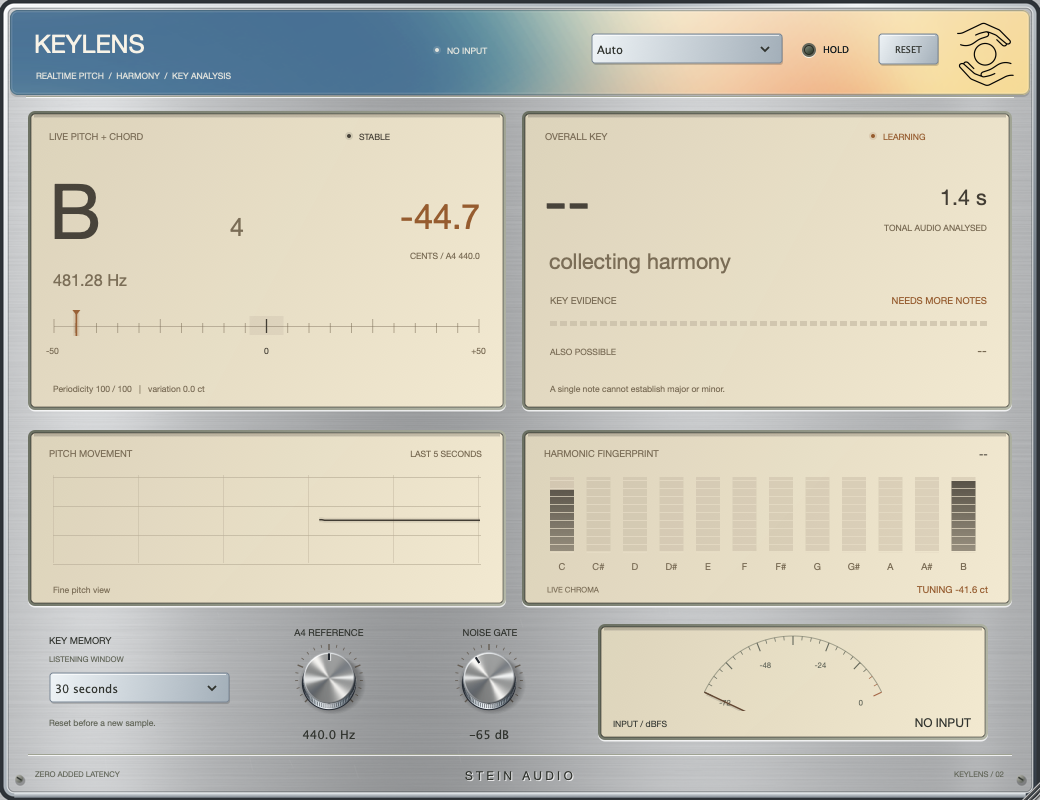
A clearer view of harmony. Explore tonal relationships while your music plays.
KEYLENS analyses incoming audio to help identify its key and tonal centre. It is an analysis tool: your audio remains unchanged. Useful for melodic material, samples and finding your harmonic bearings.
Listen & understand
Harmony. In context.
Unchanged audio.
A closer look at harmony.
Original chord progression · 124 BPM
Listening example · harmonic context
Press Play to listen.
For context
- Source: Am → F → C → G
- Notes: A minor / C major
- Unchanged signal
A minor and C major share the same notes. This progression demonstrates why a key needs more context than a single chord. The labels describe the composed source; this is not live analysis in your browser.
Original, synthesised sound sketches. No sound processing or live browser analysis. The image shows the interface; the demo settings are listed in the player.
In detail
Make harmony visible
The analysis helps you interpret keys and prominent tones in your material. Musical context still matters.
Listening comes first
A single chord can belong to several keys. Use longer, harmonically meaningful passages to guide your judgement.
A transparent signal path
KEYLENS does not alter your sound. These examples explain the harmony instead of presenting an artificial effect comparison.
- Format
- VST3
- Platform
- macOS · Apple Silicon
- Version
- 0.2.3
- Signal path
- No sound processing
The collection is getting ready for release. Explore the sound of each plugin with our listening examples.