
MODEL 04 / Reference / Stereo / Balance
FIELD MATCH
A sense of space.
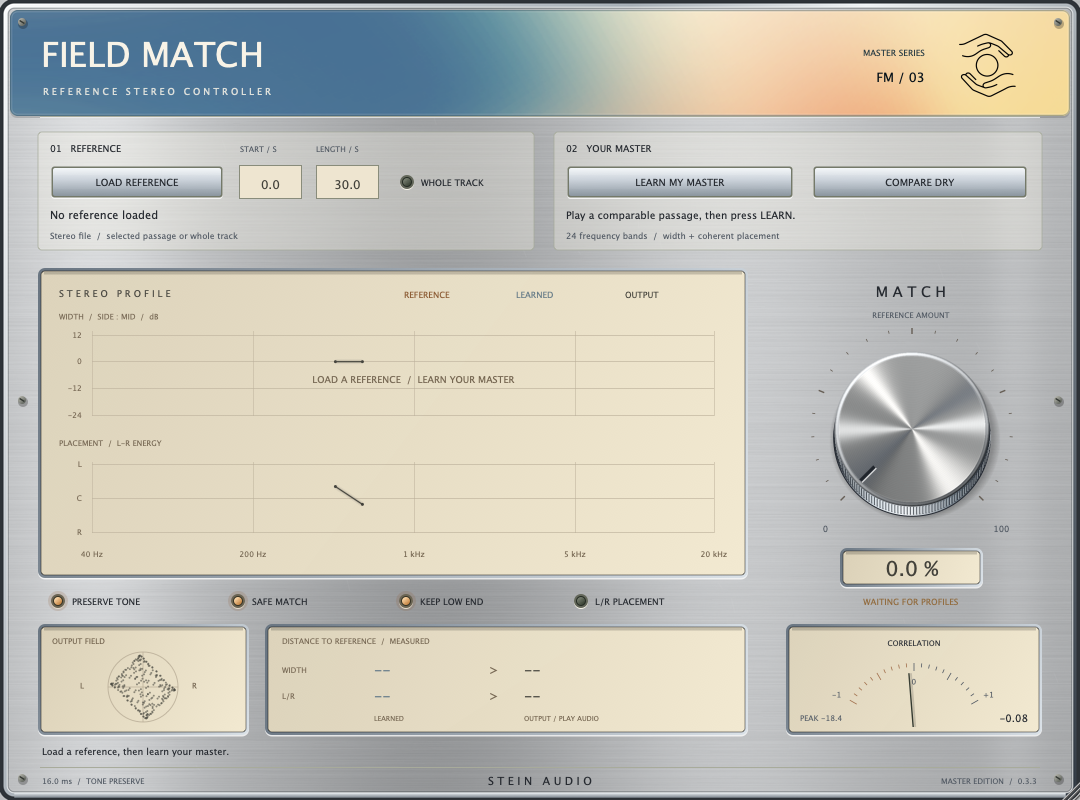
Give your stereo image a direction. Use a reference to guide width and balance.
FIELD MATCH analyses the spectral mid/side distribution of a reference and your signal. The Match control applies stereo corrections derived from those profiles. Safe Match, Keep Low End and Preserve Tone limit and focus the processing.
The direct comparison
Same sound.
Different feeling.
A is the original. B is the effect.
You switch. The groove keeps going.
Original stereo pad · 124 BPM
Wide reference — learned demo profiles
Press Play, then switch between A and B as the audio plays.
Active settings · version B
- Match 100 %
- Safe Match on
- Keep Low End on
- Preserve Tone on
- Placement off
- Reference: wider pad mix
The source and a wider version of the same pad were analysed. Use headphones and listen to the sound at the sides.
Original, synthesised sound sketches. Rendered with the plugin engine and aligned in time. A/B levels are not individually normalised afterwards; level changes can be part of the effect. The image shows the interface; the demo settings are listed in the player.
In detail
Listen. Learn. Move closer.
Load a reference and learn your source. Frequency-dependent profiles provide the basis for the correction.
Width with care
Safe Match and Keep Low End help you adjust the stereo image while keeping the bass stable.
Guide the balance
Match Placement also considers left-right distribution. The plugin works with mixed signals, not isolated instruments.
- Format
- VST3
- Platform
- macOS · Apple Silicon
- Version
- 0.3.3
- Signal path
- Latency compensated
The collection is getting ready for release. Explore the sound of each plugin with our listening examples.